
How to Use a Credit Card Machine: A Detailed Guide
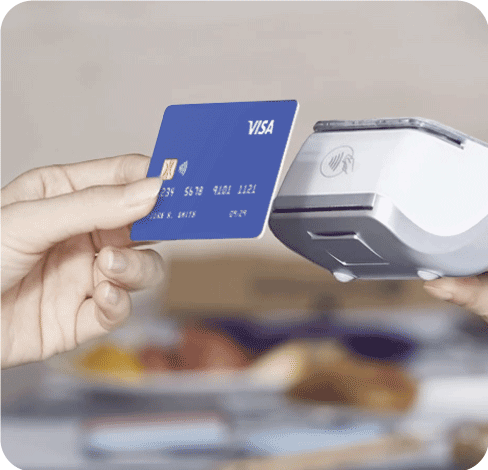
A credit card machine provides businesses with the convenience of accepting customer payments securely and quickly. It’s no wonder card payments are becoming the primary method of payment in Ireland. Yet, it’s fundamentally important to know how to use a credit card machine to create a seamless experience for customers and maximise payment options for your business.
What is a Credit Card Machine?
A credit card machine simplifies the process of accepting payments from debit and credit cards. With a swipe, chip insert or tap, the card reader processes the information and verifies with the card issuer whether the account is valid and has sufficient funds to approve the transaction.
How to Use a Credit Card Machine: 7 Simple Steps
1. Ensure Your Credit Card Machine is Turned On and Connected
You should be able to quickly determine whether your machine is on and connected based on the indicator light and the display screen. It sounds obvious, but many issues with card machines will stem from not being turned on properly. For wireless machines, it’s best practice to ensure they’re connected to Wi-Fi.
2. Enter the Right Amount Before Taking Payment
It’s essential to ensure the right amount has been entered before taking payments. Credit card machines operate smoothly and efficiently, so it doesn’t hurt to take a second look and make certain that the right amount has been entered before accepting a customer’s payment. This simplifies the transaction process by not having to issue refunds or start the payment process over again.
3. Allow the Customer to Present Their Card or Device
Prompt the customer to pay when the credit card machine is ready to accept payment, this makes for a smoother transaction. Regardless of whether they’re using their card or smartphone, customers should be instructed when it’s time to pay to avoid errors or awkward interactions.
4. Let the Customer Enter Their PIN (If Necessary)
If a customer has a chip card, allow them time to insert it into the card reader and input their PIN before completing the transaction. Monitor the display for any errors such as a wrong PIN and assist the customer if needed.
5. Wait for Authorisation to Clear
While credit card machines are fast and convenient, you should still take a moment to wait for authorisation to clear to ensure the transaction has been successfully completed. This should only take a short moment assuming everything is functional, and that the customer has sufficient funds.
6. Offer the Customer a Receipt
After completing a transaction, always offer a customer a receipt for their records. Even if they seem disinterested or in a hurry, it’s important they have proof of their purchase and that you demonstrate transparency and professionalism during every transaction.
7. Return the Credit Card Machine
Now that all transactions have been completed for the day, it’s time to secure your card machine. If it’s a portable device, remember to charge it for the next working day. Now that you know how to use a credit card machine, wipe down the device to preserve its appearance and make sure the machine is somewhere secure.
How to Complete an End-of-Day Settlement
Once all transactions have been completed, you can begin end-of-day reports. This process is important to verify the total amount of sales matches your records for that day. Under the main menu, select ‘End-of-Day’ and review the number of sales for the day.
Once you’ve verified the amount matches your records, confirm the settlement to close the batch. This will provide you a receipt for your records.
How to Change Your Credit Card Machine Till Roll
Changing your credit card till roll is simple. Start by opening the compartment to remove the empty roll. Slot in the new till roll with the paper feeding from underneath. Then close the compartment and test it out to verify the till roll was placed properly.
Explore NPI’s Credit Card Machine Solutions
As one of the industry-leading merchant service providers in Ireland, NPI offers state-of-the-art EPOS systems and card reader machines. We also provide solutions to facilitate virtual and online payments to help your business succeed.
Discover how we can help your company by filling out our contact form and getting in touch with a member of our helpful team. You can also give us a call on (01) 447 5299 or send us an email at getintouch@np.ie.
Related Credit Card Machine Articles
Want to learn more? Our blog has helpful articles about credit card machines, including:
Frequently Asked Questions
How do I operate a credit card machine?
To operate a credit card machine, make sure it’s turned on and connected to a Wi-Fi network and follow on-screen directions to complete transactions. A credit card machine is an intuitive and straightforward machine, so if you follow the steps provided in this guide you will be able to seamlessly handle customer payments. On the rare occasion you receive an error, contact the responsive team at NPI to assist you.
How do I use a credit card machine to refund money?
To initiate a reversal, it needs to be done immediately as the next transaction on that same terminal. Simply follow the steps in the manual provided to complete a reversal, and once those steps have been completed the funds will be distributed back to the customer within a short period.
A reversal will only be successful if it is the next transaction, if another transaction has occurred, it will not be possible to do a reversal, and a refund will need to be issued instead.